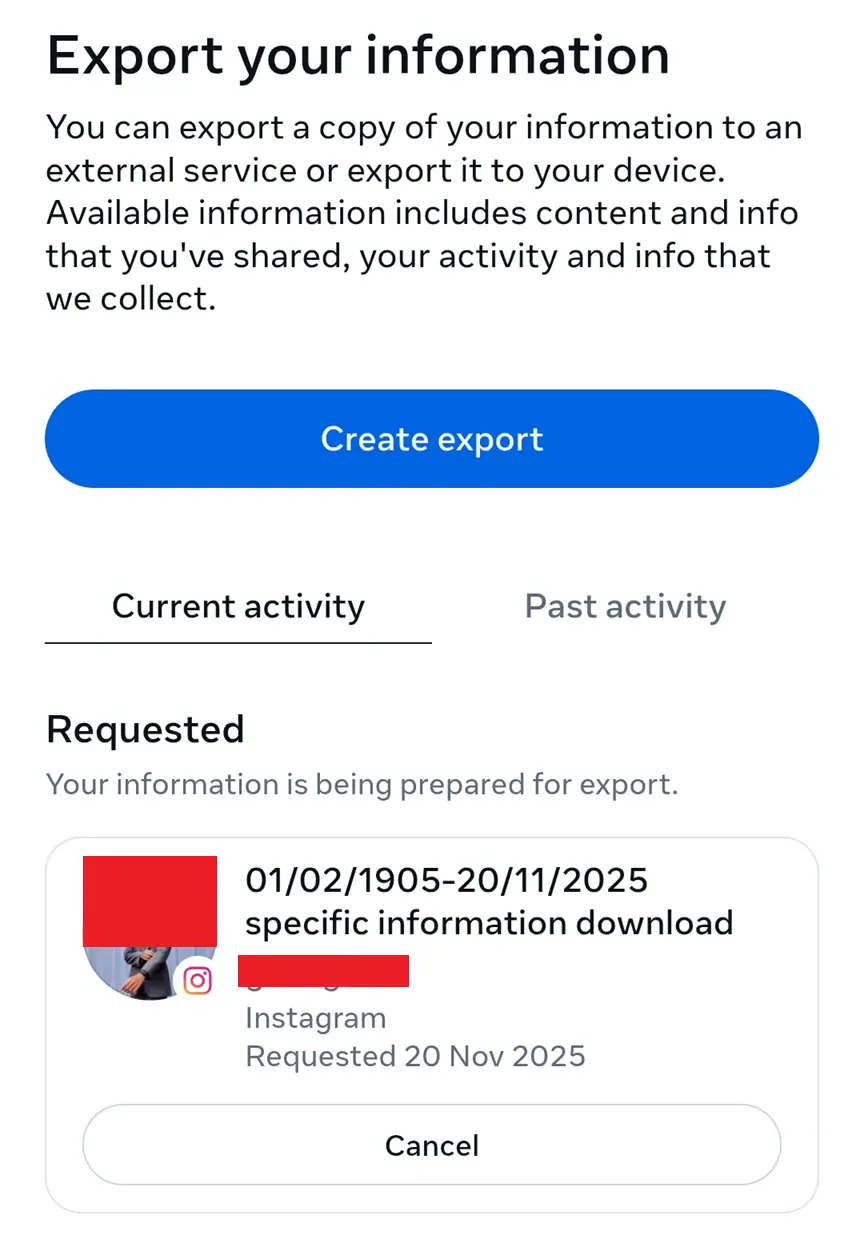
How to Download Your Instagram Data
Follow these step-by-step instructions to export your Instagram followers and following data
STEP 1
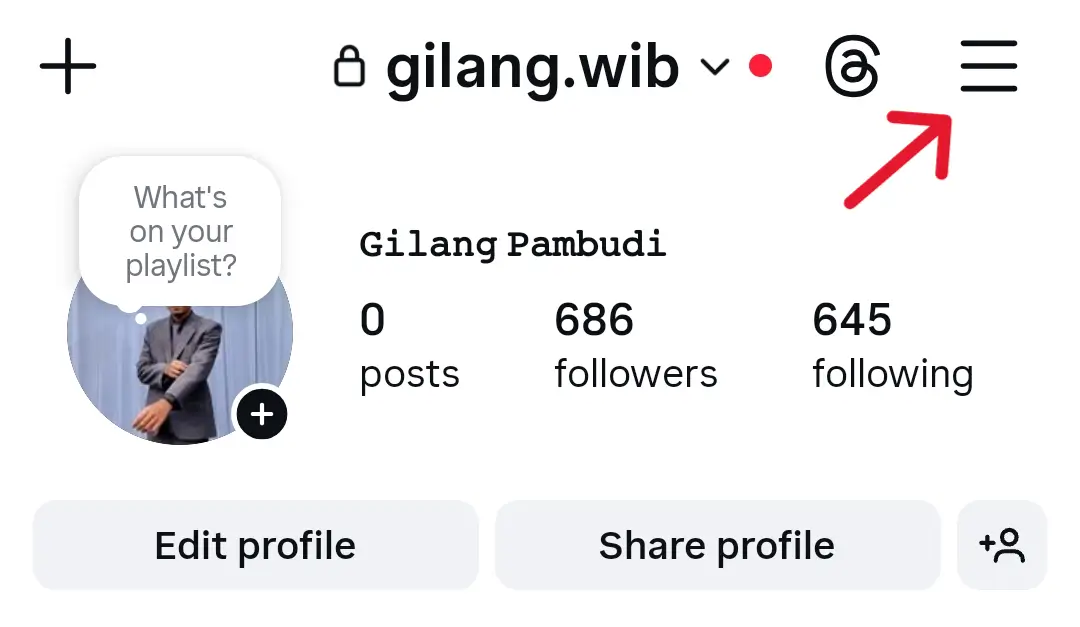
Open Instagram Settings
Open Instagram, tap the hamburger menu in the top right
STEP 2
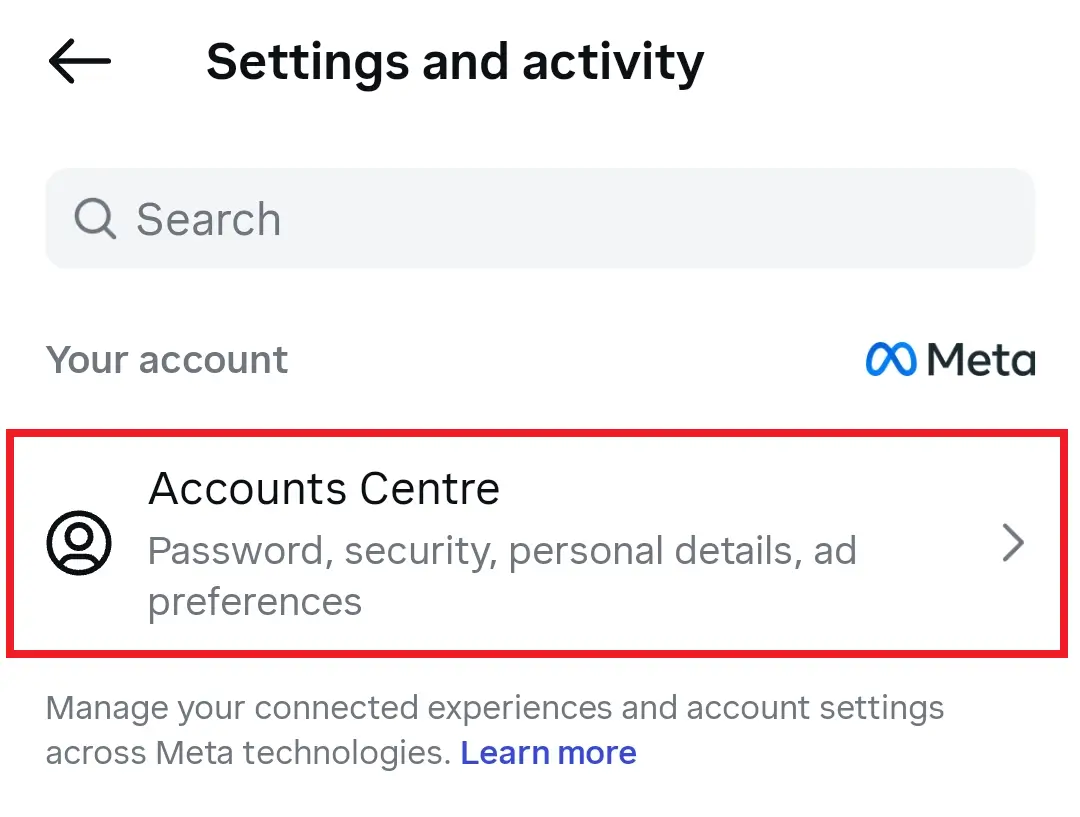
Go to Accounts Centre
Click on 'Accounts Centre' under your account settings
STEP 3
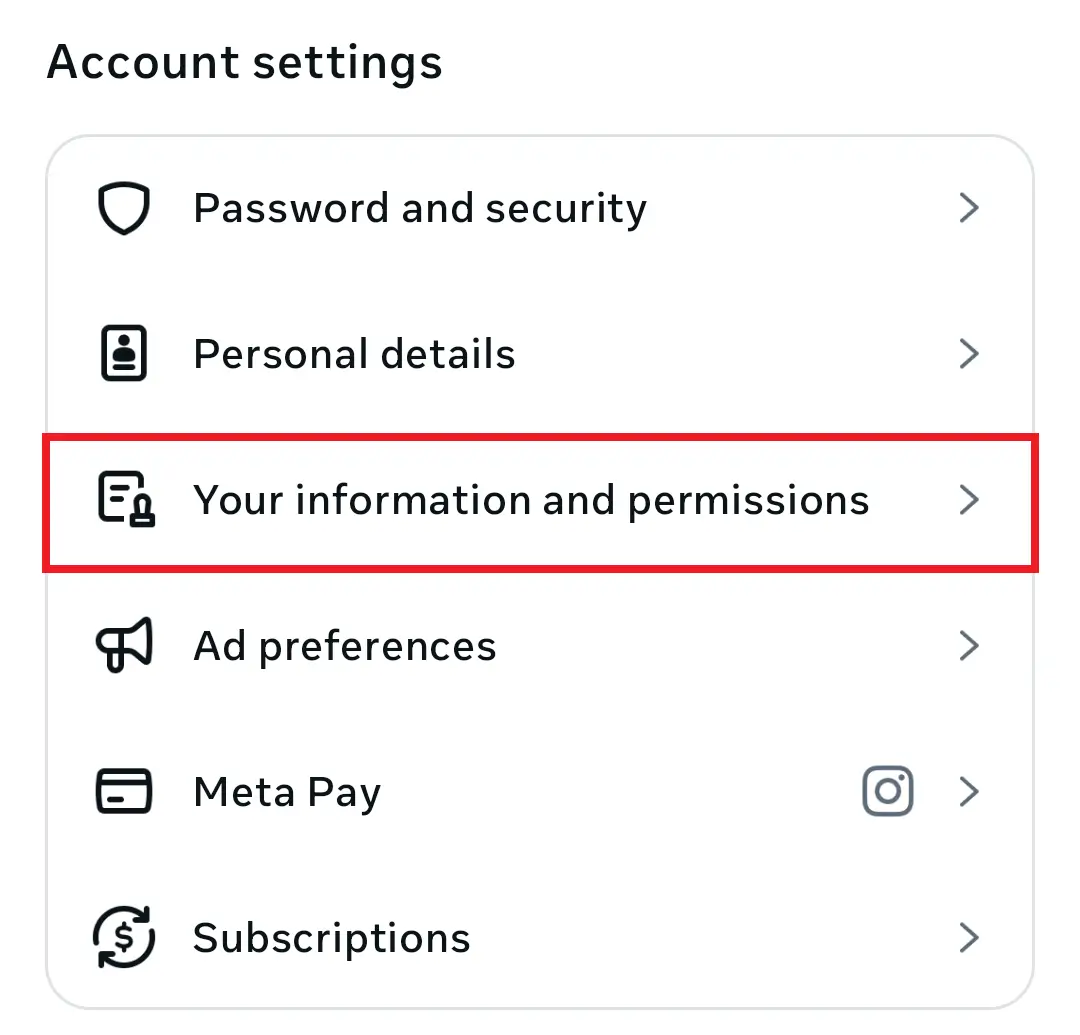
Navigate to Your Information
Scroll down and click on 'Your Information and Permissions'
STEP 4
Select Export
Choose the export option from the menu
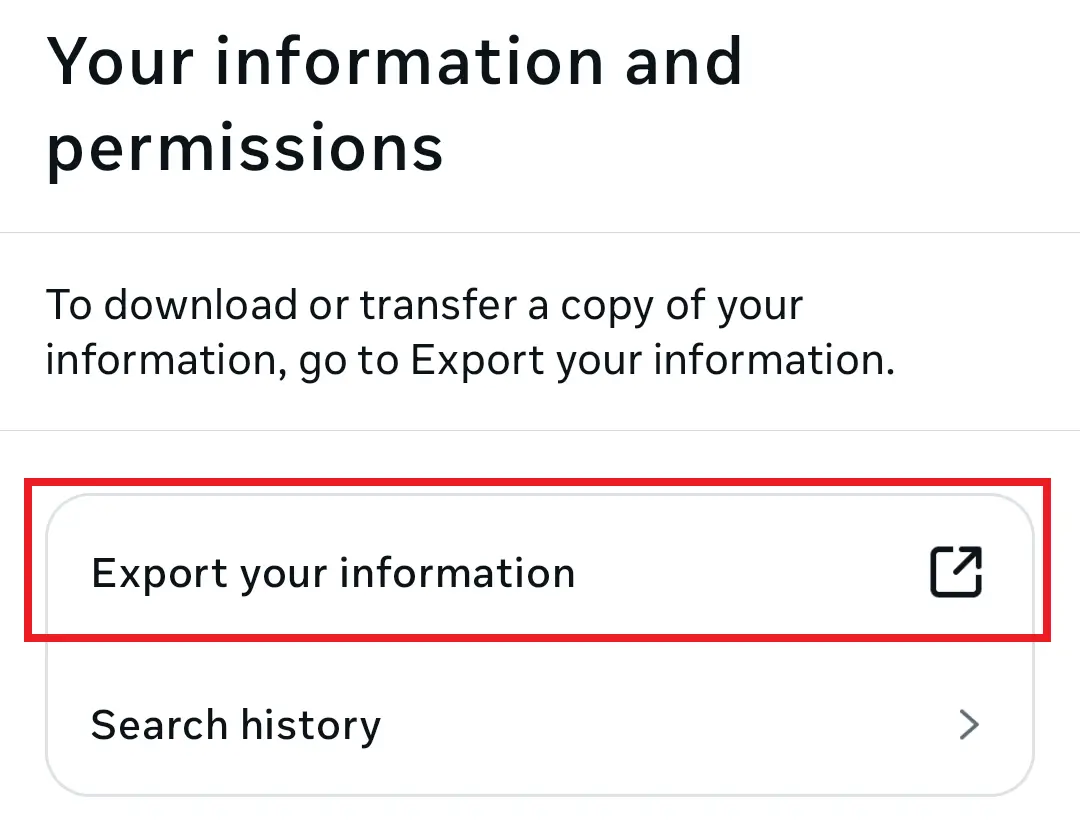
STEP 5
Export Your Info
Click on 'Export your info' to proceed
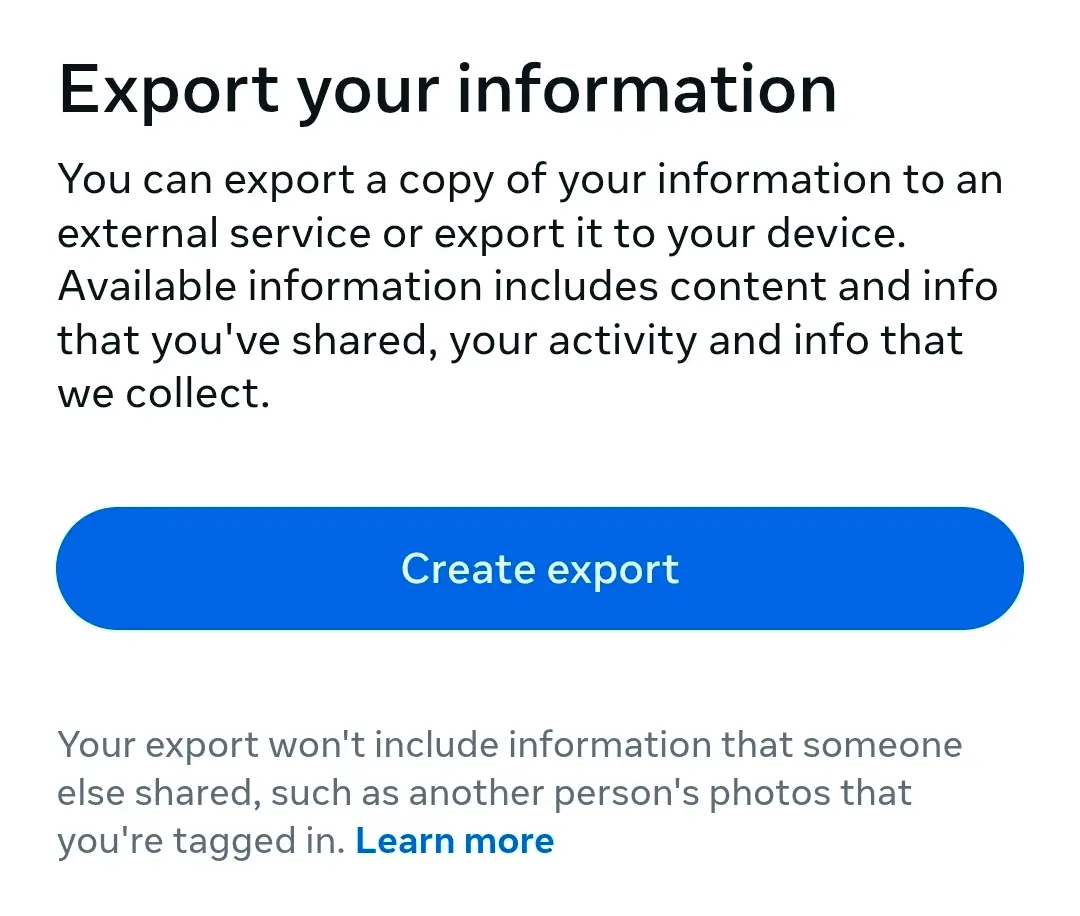
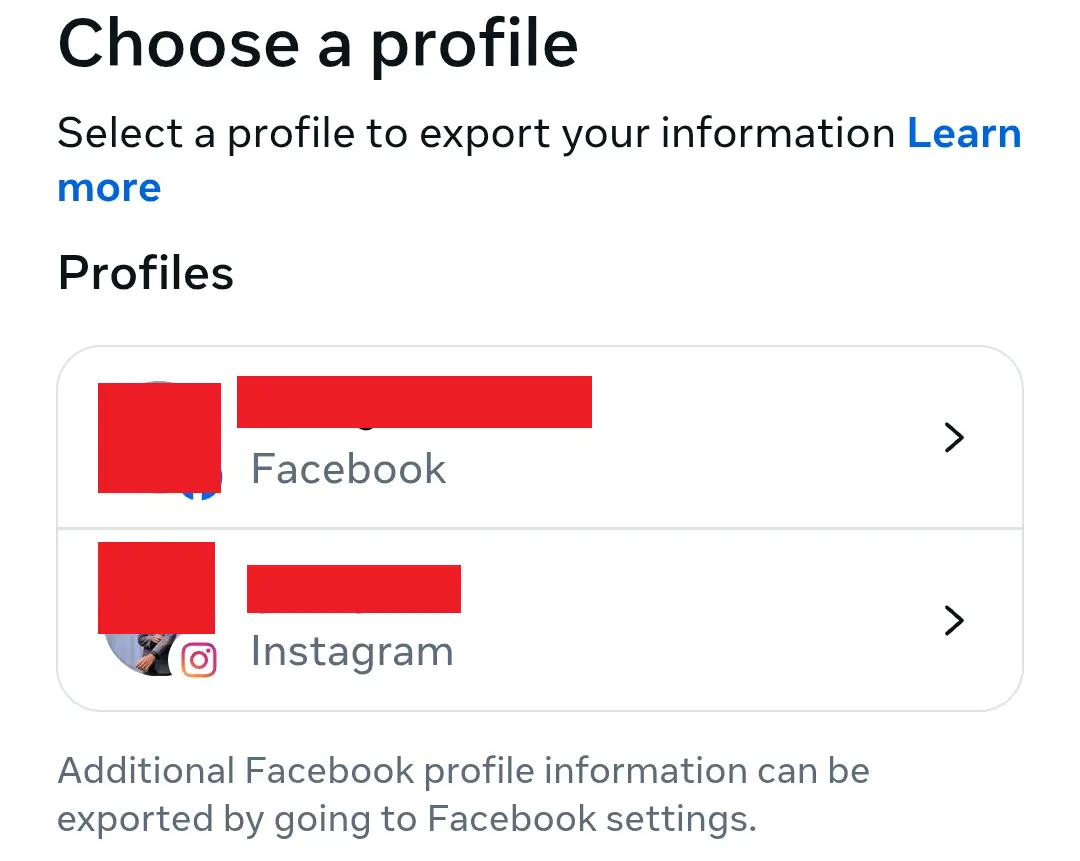
STEP 6
Choose Profile
Select the Instagram profile you want to export data from
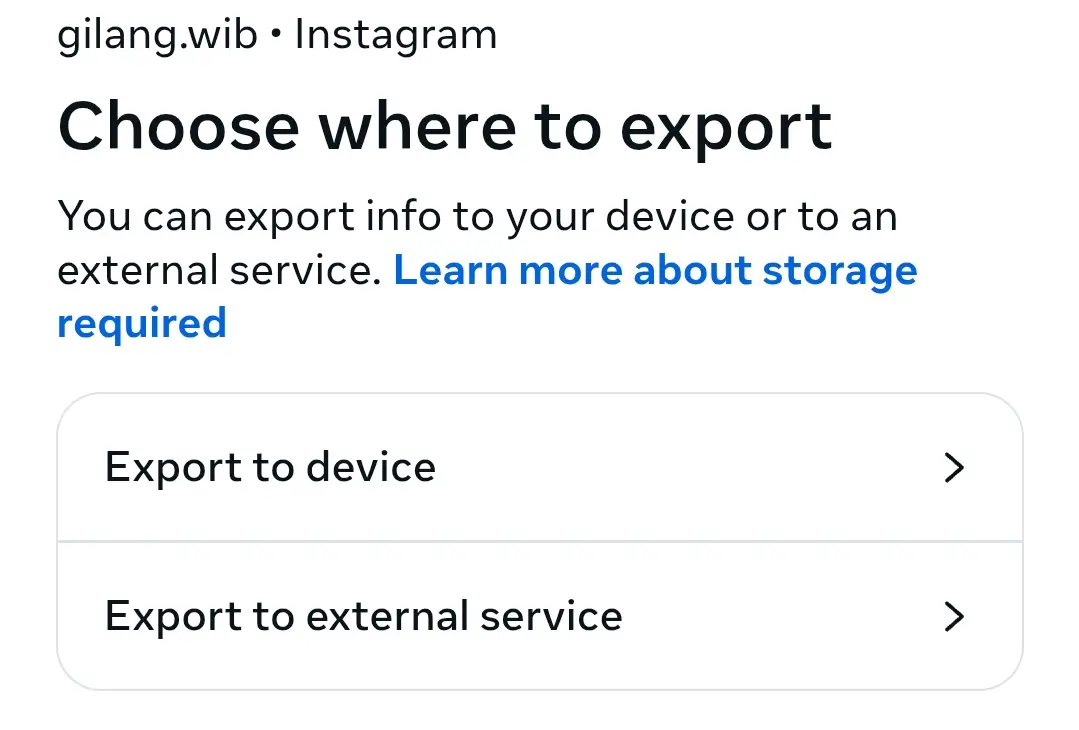
STEP 7
Choose Where
Select export to device.
STEP 8
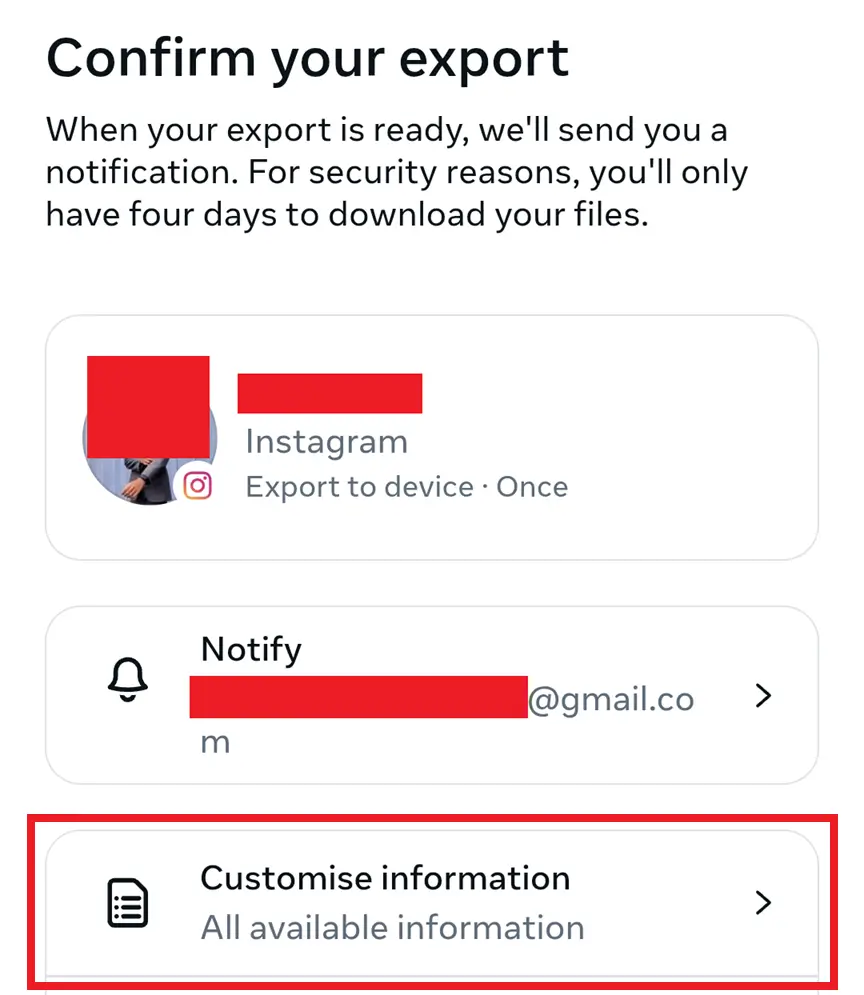
Customise Information
Select customise information.
STEP 9
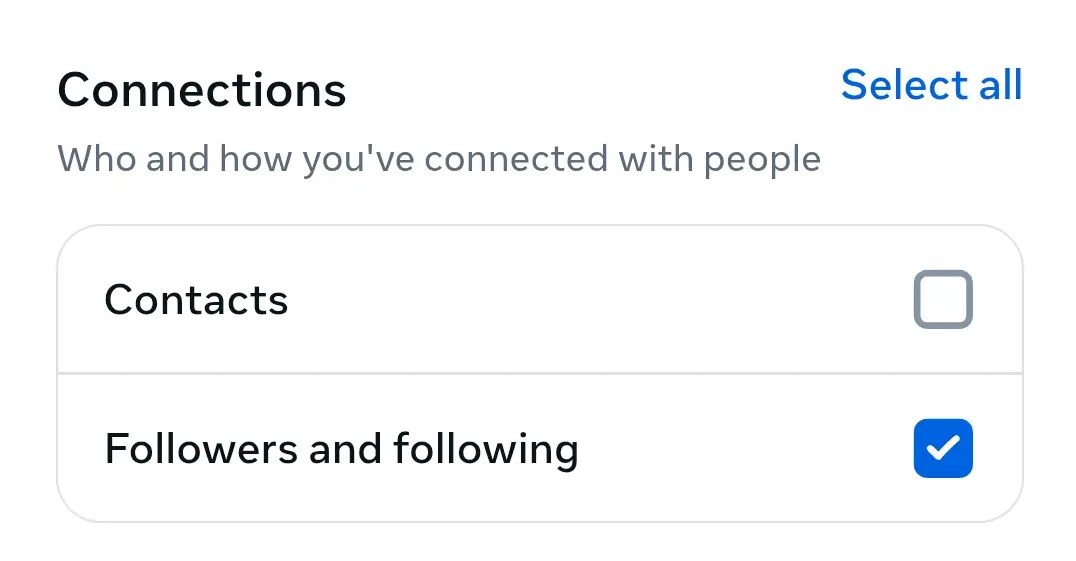
Select Only Following and Followers
Choose to export only 'Following' and 'Followers' data
STEP 10
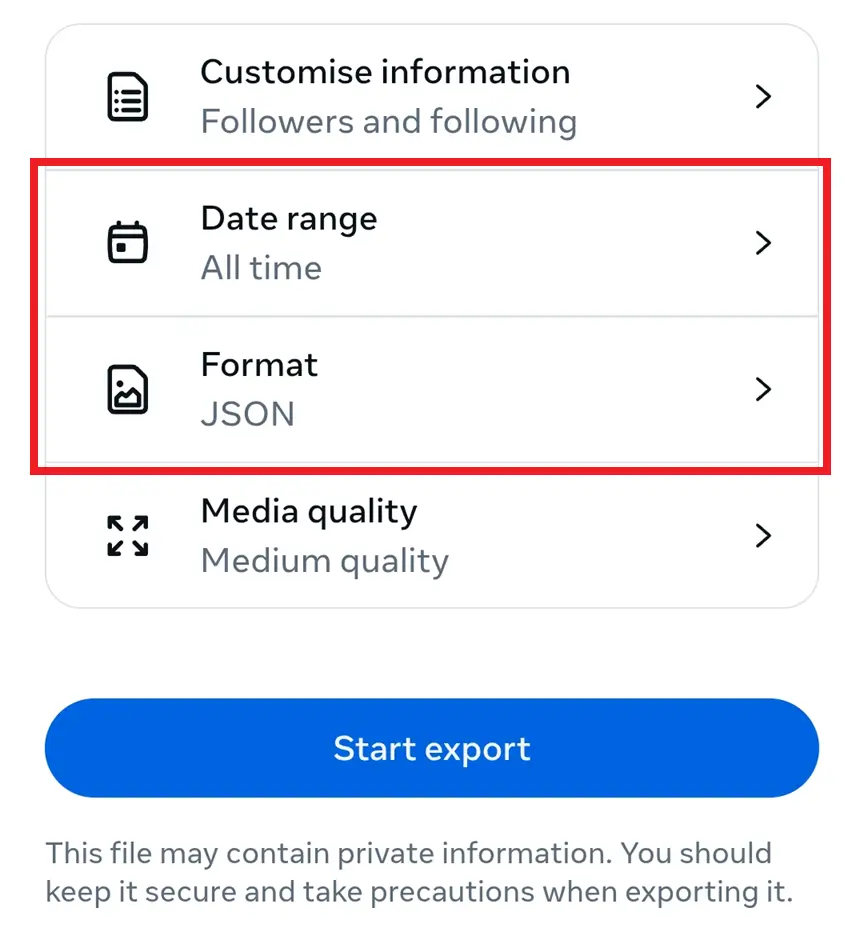
Select Custom Range and Format
Set date range to 'All time' and format to 'JSON'
STEP 11
Input Password and Wait
Enter your password to confirm and wait for the download to be ready. You'll receive an email notification.